
The online classroombuilt for math
Video calls, geometry, graphing, and equation tools — plus a live whiteboard for every student. Everything a math lesson needs, nothing to install.
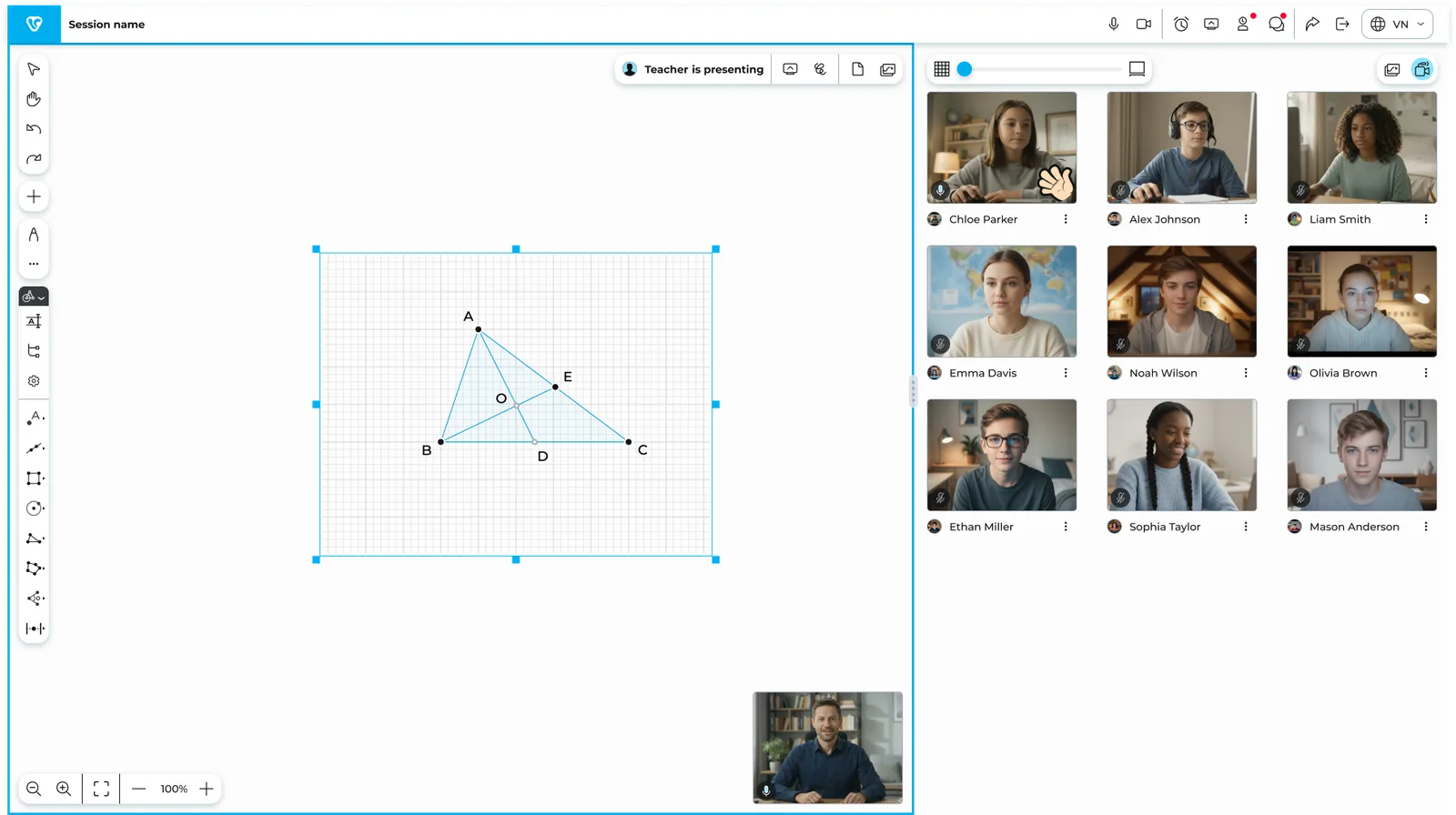
One tabThe whole math classroom.
Watch Viclass in action
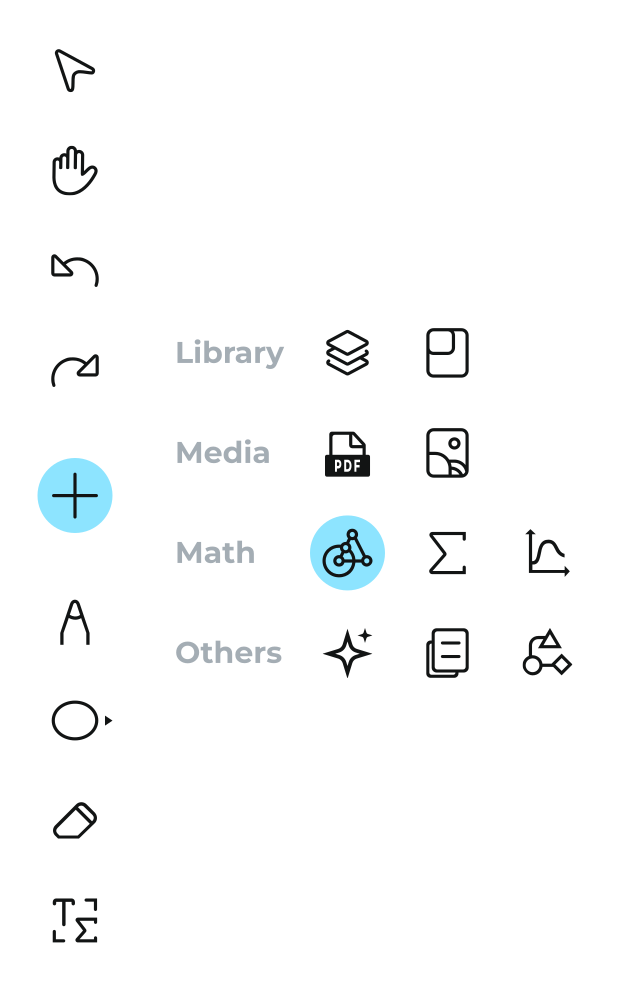
Built for mathnot retrofitted for it.
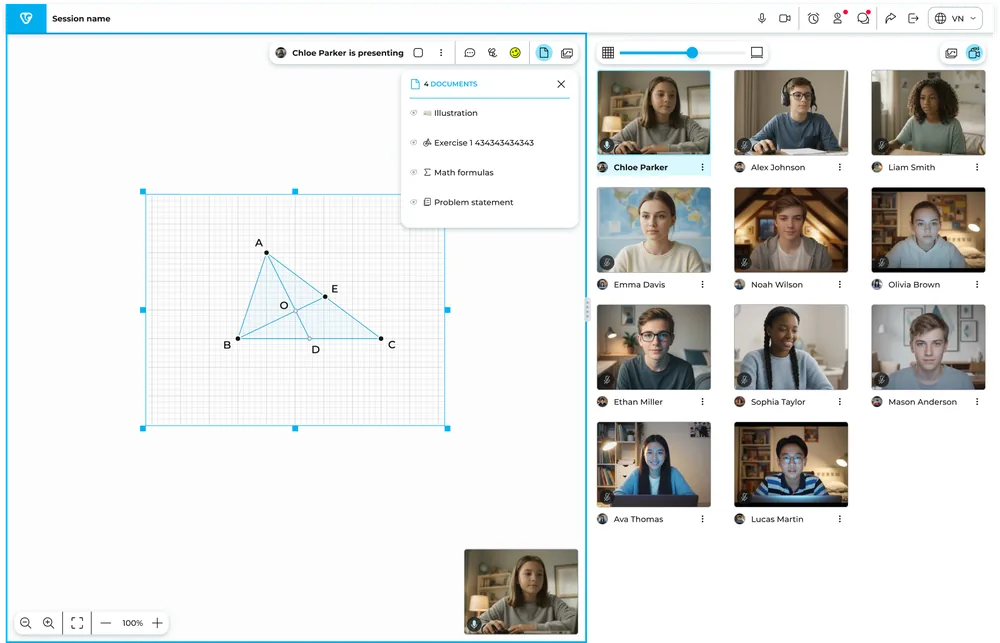
The tools a math lesson is actually made of — synced live to every student.
- Interactive Geometry — points, lines, circles, polygons; measure and transform.
- Function Grapher — plot, trace, and explore families of curves.
- Math Editor — proper equations and formulas, not hand-drawn fractions.
- Drawing, diagrams & documents — everything else a math lesson needs, on the same board.

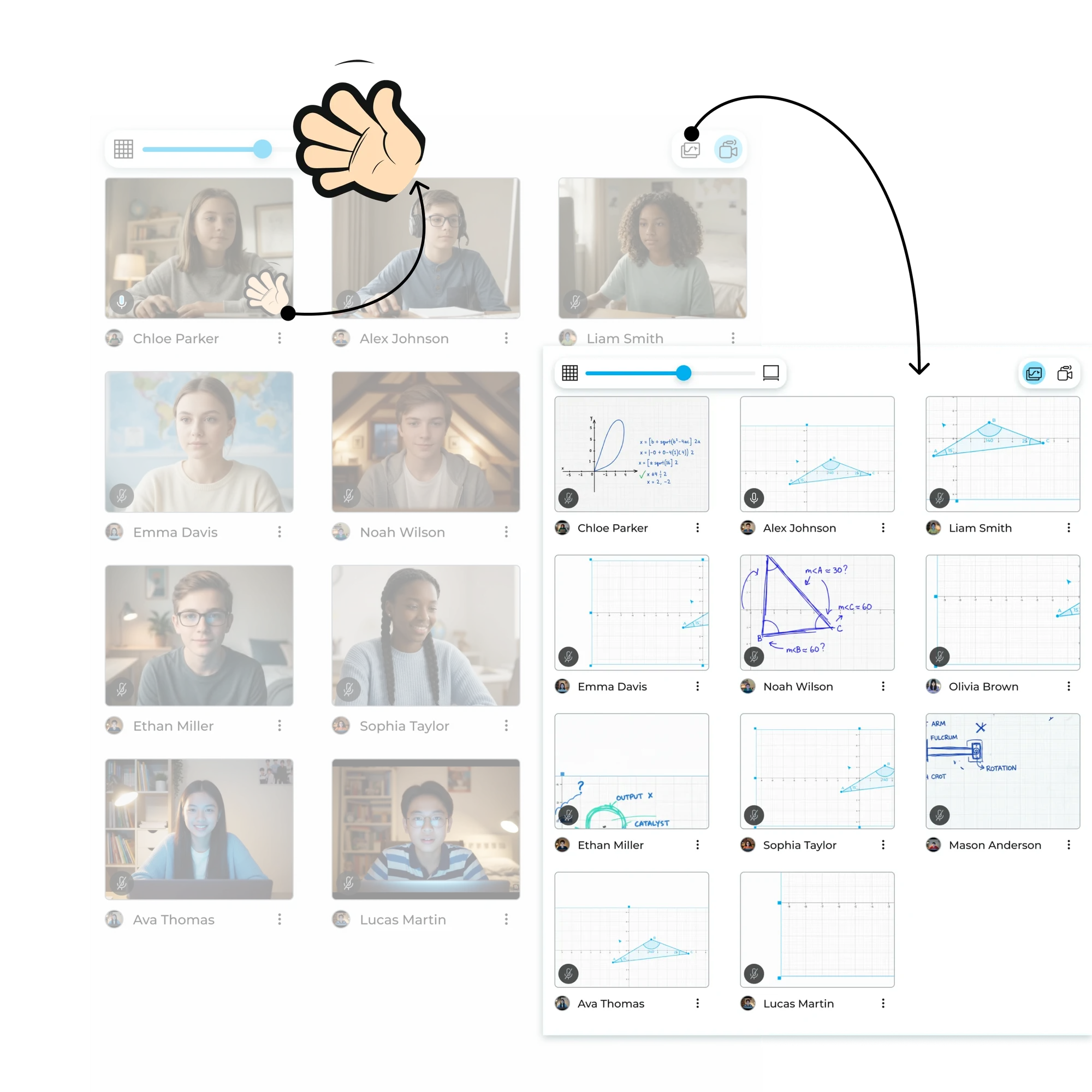
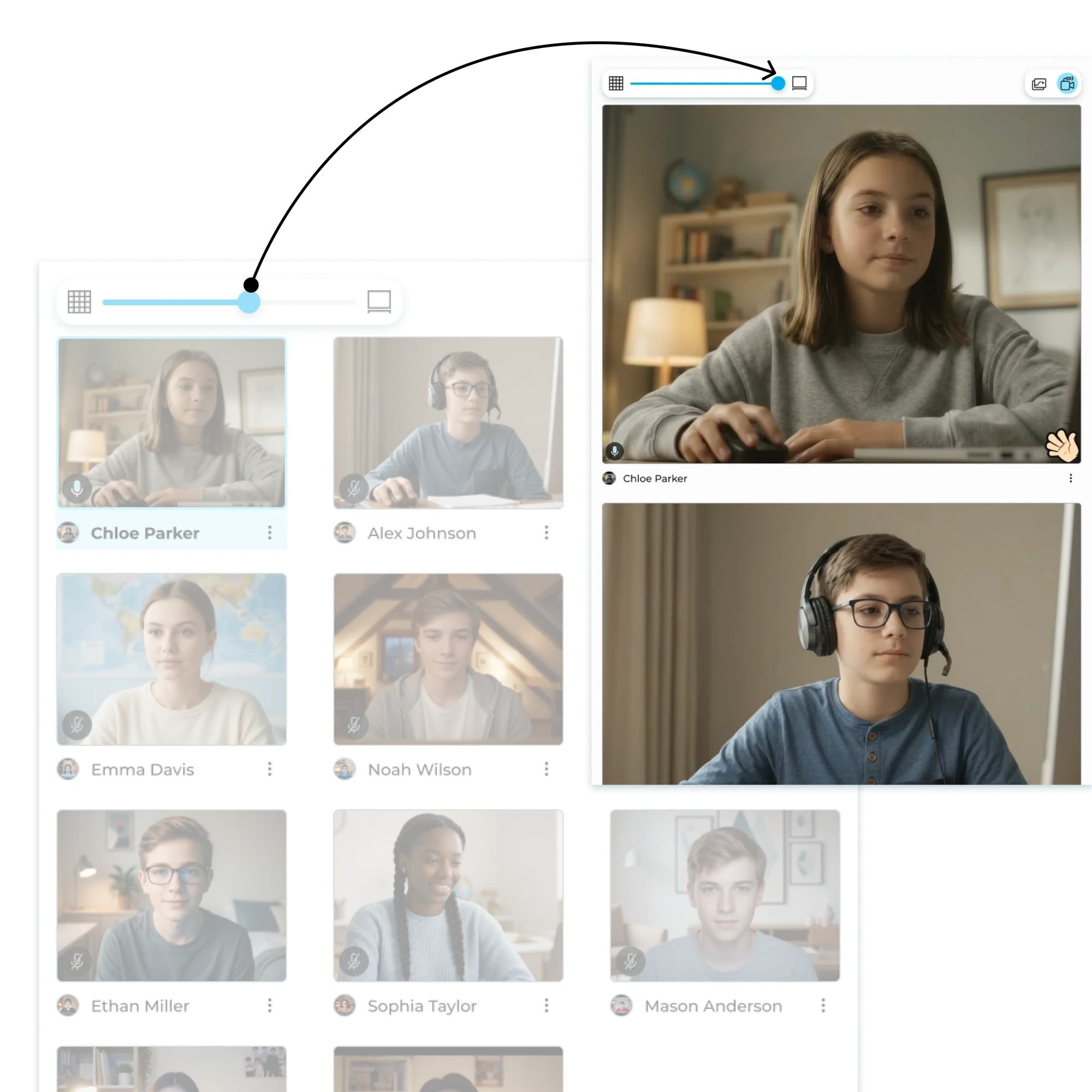
See every student'sboard, live.
You teach, students work on their own boards, you watch and call on them.
- Split view — your board on one side, every student's board live on the other.
- Raise hand — students signal you without interrupting; you pick who to call.
- Push & copy boards — send a problem to a student, or pull their work onto yours.
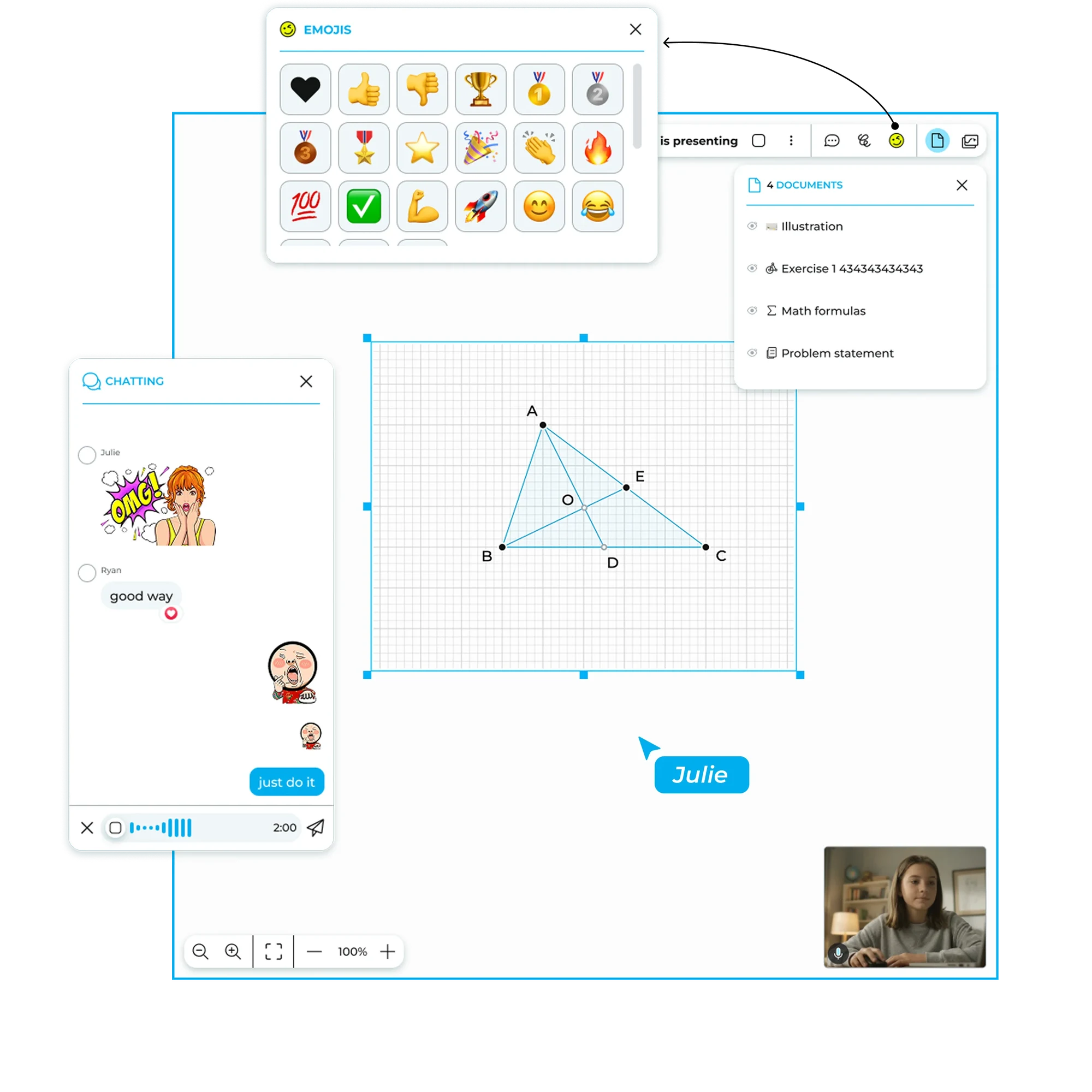
Let a studentpresent— in one click.
- Student presenter mode — hand the board to a student to show their work to the class.
- Feedback & reactions — stars, emoji, and chat keep energy up without breaking flow.
- You control the room — presenter model and edit locks mean the board behaves like a classroom, not a free-for-all.
Video callswhere the lesson is.
Video, audio, screen share, and chat — inside the classroom. No second app.
- Camera grid — see every student while you teach, no app switching.
- Screen share & chat — built in, next to the board.
Other features
The small things that make a live lesson run.
Unlimited boards
Teacher and students create as many boards as the lesson needs — no page limits.
Screen sharing
Share your screen right inside the classroom — no second app.
Lobby
Students wait in a lobby; you let them in when the class is ready.
Focus mode
Guide everyone's attention to your board when it's time to explain.
Chat & reactions
Chat, emoji, and quick feedback without breaking the flow.
Content library
Save boards and worksheets, reuse them across classes.
Classroom templates
Start a lesson from a ready-made structure, not a blank page.
Interactive questions
Push questions to student boards and collect answers live.
Coming soon


How it works
From signup to teaching in about a minute

- 1
Create a classroom
Free, in your browser, in about a minute. No downloads, no setup calls.
- 2
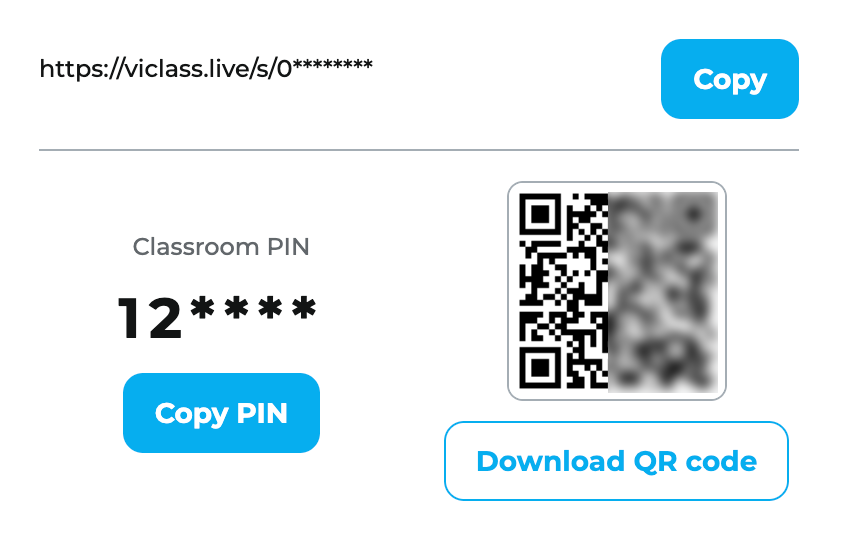
Share the PIN
Students join by typing 6 digits, scanning a QR, or opening your link — as guests.
- 3
Teach
Build the board live, watch students work, call them up. That's the whole loop.
Why not justZoom + a whiteboard?

All product names and trademarks are property of their respective owners.
Your next math lesson can bethis simple.
Free to start · No credit card · Students never need accounts